

Most people who buy a wallet tracker card understand the basic idea. You put a card in your wallet, pair it to your iPhone, and if the wallet goes missing you open an app and see where it is. Apple Find My Network Explained
What fewer people understand is the part that actually makes this work. Your wallet card has no GPS chip. It has no SIM card. It cannot connect to the internet on its own. So how does your phone show you a map location for a small plastic card sitting inside a lost wallet three kilometers away?
The answer is the Apple Find My network, and once you understand how it actually works, you will appreciate why its size matters so much when choosing a tracker card.
What the Apple Find My Network Explained
The Find My network is a crowd-sourced location system built into over 1.5 billion active Apple devices worldwide. Every iPhone, iPad, and Mac running a recent iOS or macOS version is a passive node in this network, running silently in the background without the device owner knowing or needing to do anything.
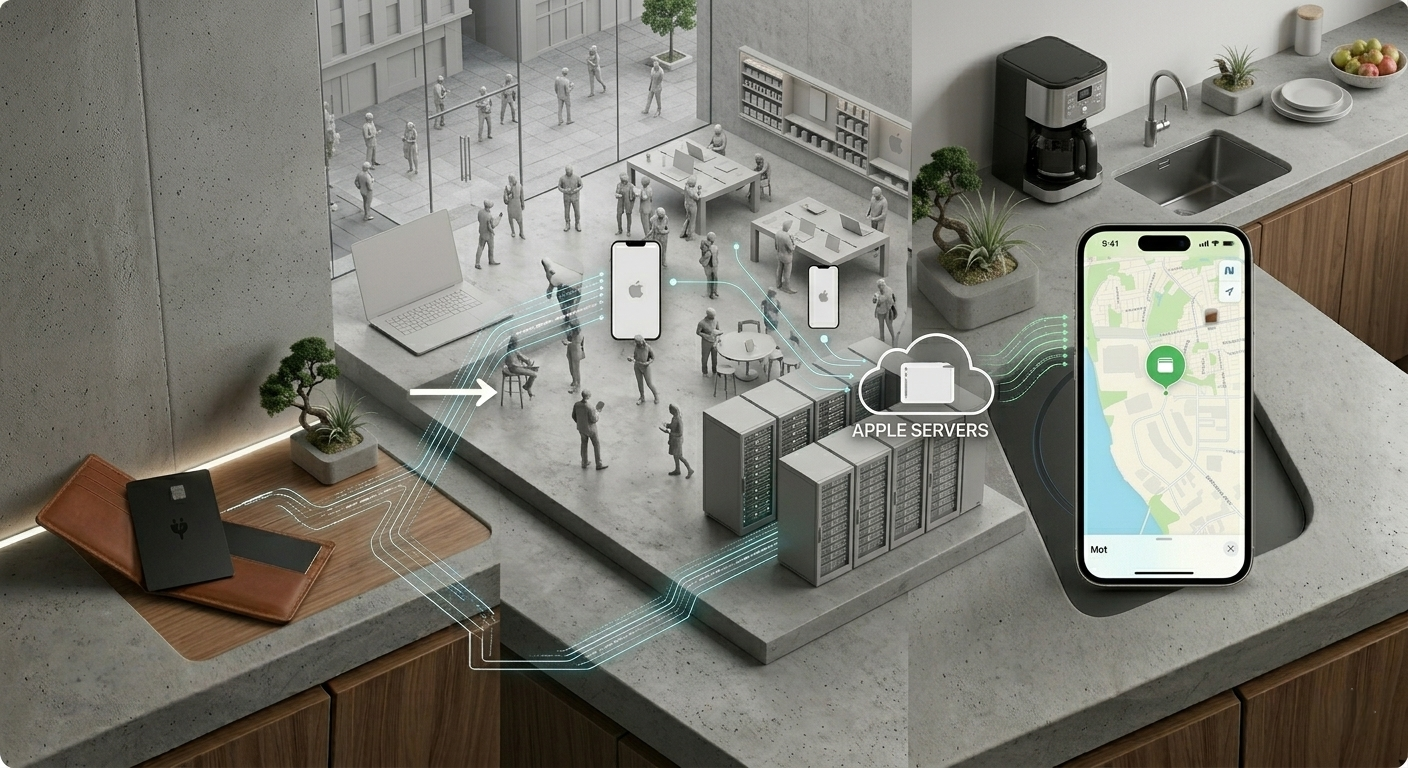
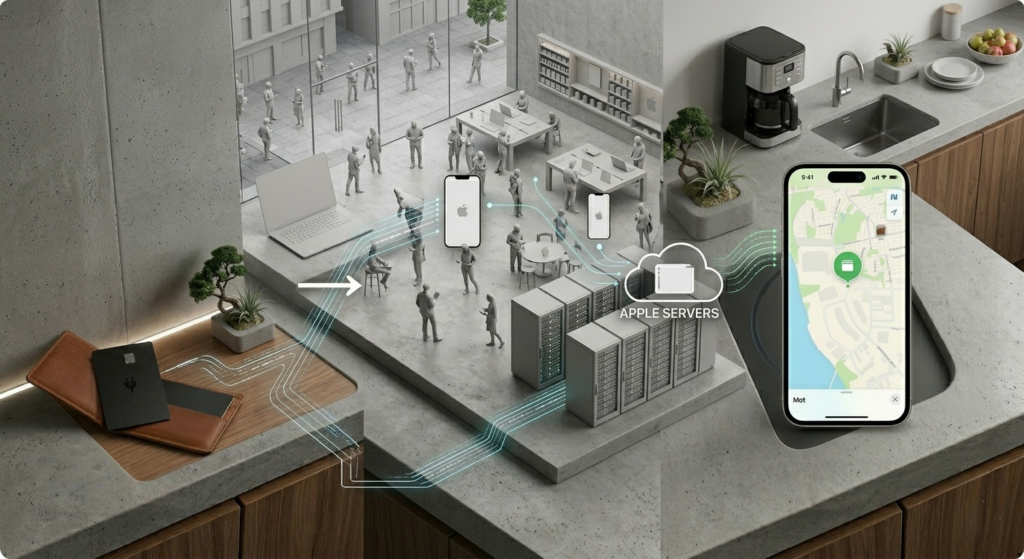
When your wallet card is out of Bluetooth range of your own phone, it starts broadcasting a low-power encrypted Bluetooth signal. Any Apple device that comes within range of that signal picks it up and anonymously forwards the location to Apple’s servers using its own internet connection. Your iPhone then pulls that location data from Apple’s servers and shows it to you on a map.
The whole thing happens automatically, silently, and without any involvement from the person whose iPhone relayed the signal. They do not get a notification. They never know their phone was involved. The location data is encrypted end to end, so neither the relaying device nor Apple can see whose item was detected or where it is. Only your Apple ID can decrypt the location.
How the Apple Find My Network Works Step by Step
Your wallet card loses Bluetooth contact with your phone. It begins broadcasting a short-range encrypted Bluetooth signal every few seconds. A stranger’s iPhone walks past the lost wallet in a coffee shop, on a bus, or in an airport corridor. That iPhone detects the Bluetooth signal, packages the location in an encrypted format, and uploads it to Apple’s servers. Your Find My app pulls the new location and updates the map pin on your screen.
The entire sequence from detection to map update typically takes a few minutes in a busy area. In a quiet location with fewer Apple devices around, it can take longer, or not happen until someone with an iPhone walks close enough.
Why This Works Without GPS or Internet on the Card
The tracker card itself never needs GPS or an internet connection because it outsources both jobs to other devices.
Location is determined by the GPS and cell data of the iPhone that detected the card, not by the card itself. Internet connectivity is provided by that same iPhone. The card contributes only one thing: a Bluetooth signal that costs almost no battery power to broadcast. That is why a 155mAh battery in a 1.8mm card can last four to six months. Broadcasting a low-power Bluetooth signal a few times per minute draws almost nothing compared to maintaining a GPS lock or a cellular connection.
This is the design insight that made the whole category possible. Before crowd-sourced networks like Find My existed, a tracker that could report its location from anywhere in the world required its own GPS and cellular hardware, which meant bulk, cost, and battery requirements that made wallet-sized trackers impractical.
Privacy: What Apple Can and Cannot See
This question comes up often and it is worth answering clearly.
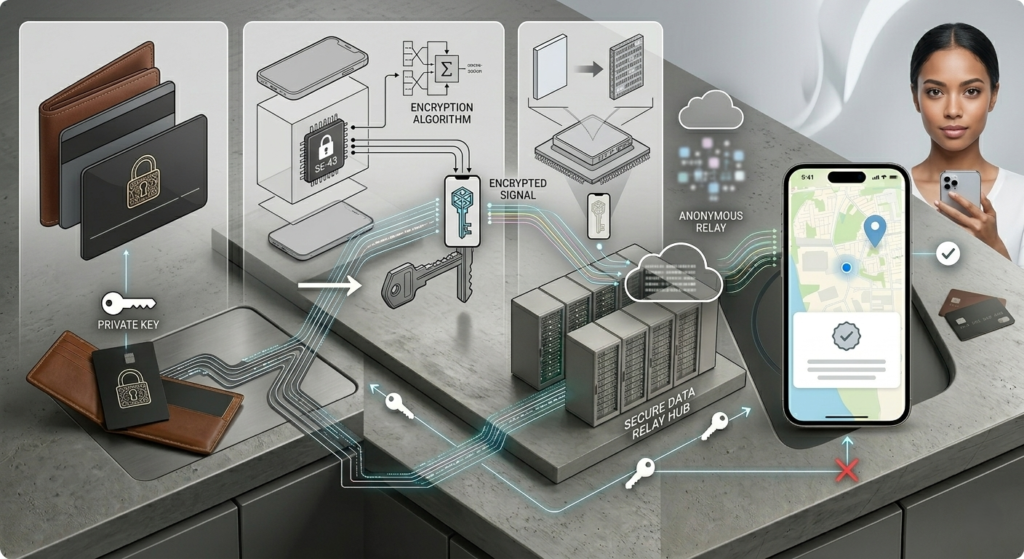
Apple cannot see the location of your tracker card. The location data is encrypted using a key that only your Apple device holds. When the encrypted location reaches Apple’s servers, Apple stores it but cannot read it. Only your iPhone, which holds the matching private key, can decrypt and display the location.
The person whose iPhone relayed the location cannot see it either. They have no idea their device was involved. The whole process is genuinely anonymous and genuinely private by design.
Apple also built in anti-stalking protections. If a tracker card is travelling with someone who does not own it, that person’s iPhone will alert them that an unknown tracker has been detected nearby. This prevents the network from being used to track people without their knowledge.
Why Network Size Matters When You Buy a Tracker Card
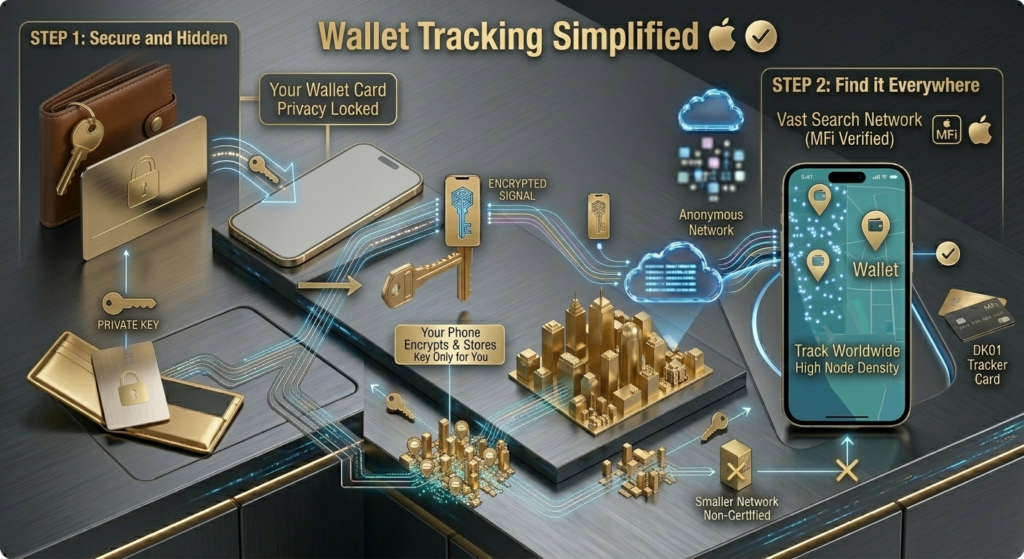
Not all tracker cards use the Find My network. Some use smaller proprietary networks with far fewer active devices.
The practical difference is update frequency. In a city centre, Apple’s network is dense enough that your lost wallet’s location updates within minutes of being lost, because hundreds of iPhones pass within range throughout the day. On a less popular network with a fraction of the active devices, that same wallet might go hours without a location update, or show no location at all outside major urban areas.
This is why MFi certified tracker cards like the DK01 have a meaningful advantage over non-certified alternatives that rely on smaller networks. The tracking hardware is the same. What differs is the infrastructure behind it.
Frequently Asked Questions
Does the tracker card need to be connected to the internet to be found? No. The card only broadcasts a Bluetooth signal. Nearby iPhones provide the internet connection and GPS location on its behalf.
Does Find My work in Pakistan or other countries outside the US? Yes. The Find My network is global and works anywhere Apple devices are present, which includes virtually every country. Major cities, airports, and shopping centres worldwide have dense enough Apple device coverage for reliable updates.
Can Apple see where my wallet is? No. Location data is encrypted end to end using keys only your Apple device holds. Apple stores encrypted data on its servers but cannot read or access the location.
What happens if no Apple device passes near my lost wallet? The card keeps broadcasting its Bluetooth signal and waiting. Find My will show the last known location and timestamp. When an iPhone eventually comes close, a new location update will come through. In remote areas this can take longer.
Does the Find My network drain the battery of other people’s iPhones? No. The passive detection process runs in the background and uses negligible power. Apple designed it specifically to have no meaningful impact on the battery of participating devices.
Now that you understand how the network works, see which tracker cards connect to it best. Our best wallet tracker cards 2026 guide covers every major option. For our top recommendation, read the full DK01 wallet tracker review. If your wallet is already missing, our lost wallet tracking guide walks through exactly what to do right now.

AG Baloch is an SEO expert, content writer, and technology educator who specializes in creating accurate, user focused content that informs and inspires.