

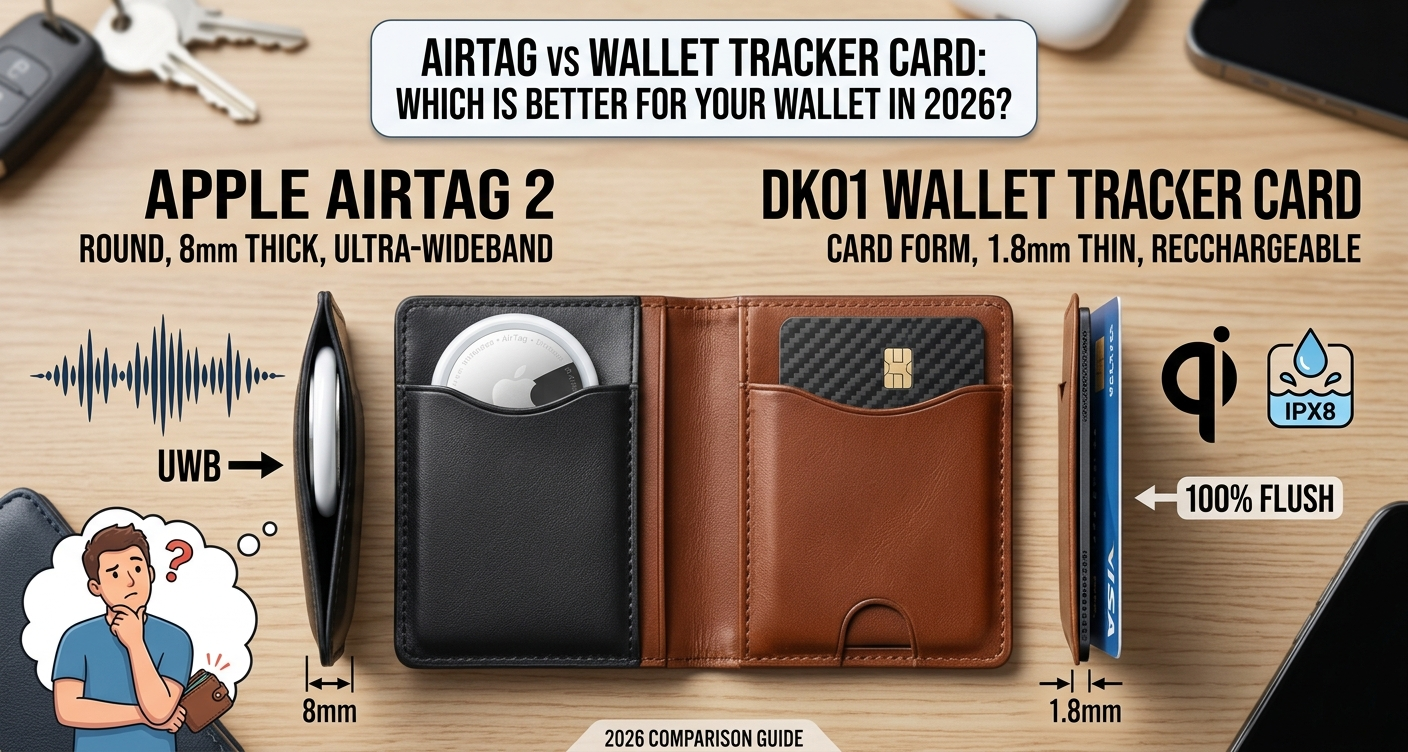
Apple’s AirTag is the most talked-about item tracker in the world. It works flawlessly with iPhone, taps into a network of over two billion Apple devices, and can guide you to within centimeters of a lost item using Ultra-Wideband Precision Finding. On paper, it sounds like the perfect wallet tracker.
There is one problem. The AirTag 2 is 31.9mm wide and 8mm thick. A standard wallet card slot is designed for cards that are 0.76mm thin. The AirTag does not fit.
This is exactly why wallet tracker cards exist — and why millions of iPhone users are now choosing slim card-format trackers over AirTag for their wallets specifically. But which choice is actually right for you?
This guide breaks down every meaningful difference between AirTag and wallet tracker cards so you can make a confident decision before spending a single rupee.
The Core Problem AirTag Cannot Solve
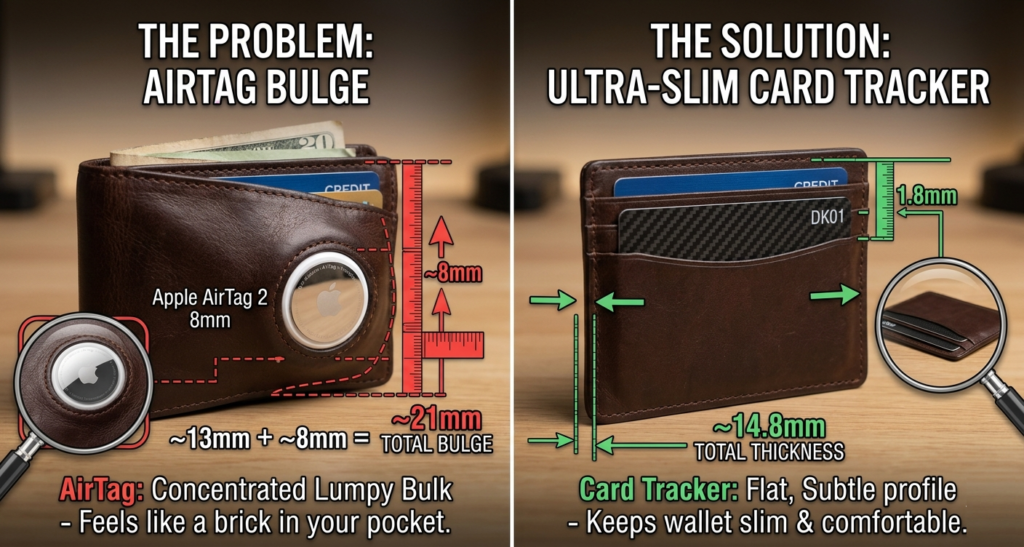
Apple’s spec page confirms that the AirTag 2 measures 31.9mm in diameter and 8mm thick. A standard leather bifold loaded with a few cards runs about 10–13mm. Add an AirTag and you are at 18–21mm — nearly double.
That is not a slim wallet anymore. That is a brick in your pocket.
AirTag is roughly 8mm thick and round, so inside a wallet it tends to create a concentrated bulge rather than adding even thickness across the whole profile. In an everyday leather wallet that already holds cards and folded bills, that can feel like extra bulk in one specific spot rather than a subtle increase overall.
Wallet tracker cards solve this entirely. Card-style trackers are much thinner — typically around 1.7–2.6mm — so they slide into a card slot and keep the wallet’s shape flatter and more uniform. The DK01, for example, is just 1.8mm. You will forget it is there.
Side-by-Side Comparison
| Feature | Apple AirTag 2 | DK01 Wallet Tracker Card |
|---|---|---|
| Thickness | 8mm | 1.8mm |
| Shape | Round disc | Credit card |
| Fits wallet card slot | No | Yes |
| Network | Apple Find My | Apple Find My |
| Precision Finding (UWB) | Yes | No |
| Waterproof | IP67 | IPX8 |
| Battery | CR2032 replaceable (~1yr) | Rechargeable Qi (4+ months) |
| Charging | Battery replacement | Wireless Qi pad |
| MFi Certified | Apple official | Yes |
| Alert sound | Loud built-in speaker | Built-in speaker |
| Anti-stalking protection | Yes | Yes |
| Price (approx) | $29 + holder | $15–25 |
| Android compatible | No | No |
AirTag vs Wallet Tracker Card, Where AirTag Wins
1. Precision Finding — Nothing Beats It
This is AirTag’s single biggest advantage and it is a genuine one. The U1 ultra-wideband chip inside the AirTag 2 enables Precision Finding at distances up to 200 feet. Your iPhone shows a live arrow pointing toward the tracker, displays the exact distance in feet, and buzzes with haptic feedback as you get closer.
An AirTag 2 wallet placed in a coat pocket across a 40-foot hotel lobby — Precision Finding locked on within 3 seconds. AirTag 2’s directional arrow and distance readout guides you to within 20 to 30 centimetres. No wallet tracker card can match this.
No wallet tracker card has UWB Precision Finding — if you need directional arrows to locate your wallet, an AirTag 2 in a slim wallet is still the only option.
2. Longer Battery Life Per Cycle
The AirTag 2 uses a standard CR2032 coin battery rated for approximately one year. When it dies, you pop it open and replace the battery yourself in seconds — no charging pad needed, no waiting.
3. Apple’s Native Integration
AirTag is Apple’s own product. The setup experience, the Find My interface, and features like Separation Alerts are as smooth as anything Apple makes. There is no question of certification or compatibility it simply works.
Where Wallet Tracker Cards Win, AirTag vs Wallet Tracker Card
1. Thinness — The Deciding Factor for Most People
Even Apple’s new AirTag is still too bulky for slim wallets, so Find My wallet-card trackers are the perfect alternative.
At 1.8mm, the DK01 is ten times thinner than an AirTag. It slides into any card slot in any wallet without changing the shape, feel, or pocket profile of your wallet at all. This is not a small convenience — for most people it is the entire reason to choose a card over an AirTag.
2. Works With Your Existing Wallet
Ekster’s credit card-shaped device fits easily into any wallet, so you do not have to buy a new one. The same applies to the DK01 and every other card-format tracker.
AirTag requires either forcing a round disc into a space it was not designed for, or buying a completely new wallet with a dedicated AirTag pocket. The AirTag 2 in a TagVault holder adds about 4mm of thickness — thicker than card trackers — but delivers UWB Precision Finding. That is still more than double the DK01’s thickness.
3. Same Find My Network — Same Long-Range Tracking
This is the part most people do not realise. Once your wallet is out of Bluetooth range, both AirTag and wallet tracker cards use the exact same Apple Find My network to report location. Apple’s Find My support page confirms that the AirTag connects to a network spanning over 2 billion active devices worldwide. Every certified Find My card — including the DK01 — uses this identical network.
The difference between AirTag and a card tracker only matters when you are physically close to your wallet. For long-distance tracking — finding a wallet left at a restaurant, an airport, or across the city — both devices perform identically.
4. Better Waterproofing on Select Cards
The DK01 carries an IPX8 waterproof rating — tested for continuous submersion beyond one metre. AirTag 2 is rated IP67, which covers one metre for 30 minutes. For everyday wallet use both are more than adequate, but IPX8 on the DK01 is the higher certification.
5. Wireless Charging — No Batteries to Buy
The DK01 charges wirelessly on any standard Qi pad. The same charger you use for your iPhone works perfectly. No batteries to source, no coin cell to track down, no tools needed. One charge lasts over four months.
The Real Question: Where Do You Lose Your Wallet?
This is the most useful way to decide between AirTag and a wallet tracker card.
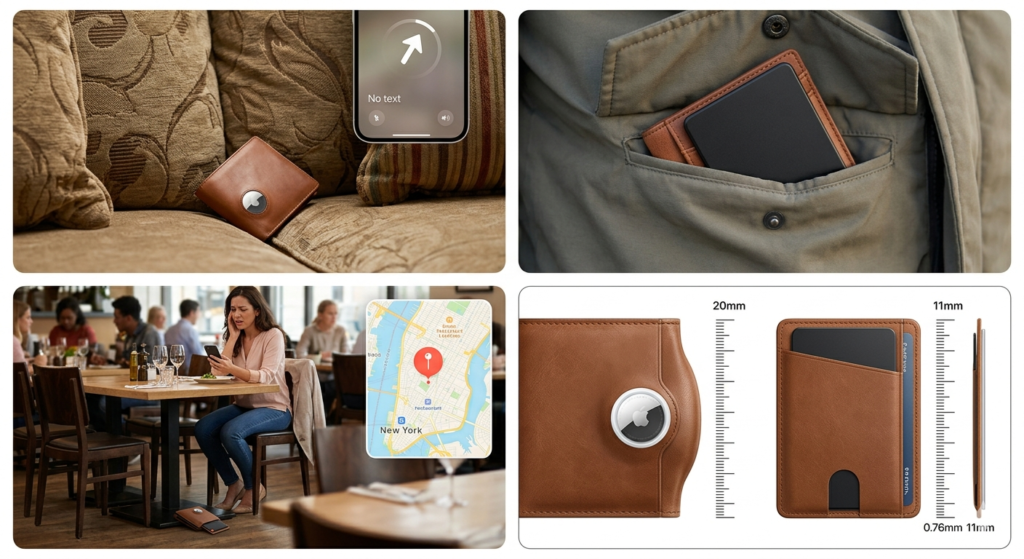
If you lose your wallet at home — between cushions, in a jacket pocket, under furniture — AirTag’s Precision Finding is a genuine advantage. When your wallet is somewhere close but hidden, AirTag’s Precision Finding can be more decisive than simply playing a sound and searching by ear. Without UWB you are usually relying on sound and general proximity cues, which can be slower in cluttered indoor spaces.
If you lose your wallet outside the home — at a restaurant, in a taxi, at an airport — both devices perform identically. Both use the same Find My network. Both show a map location. Neither has an advantage at long range.
If your wallet stays slim and in your pocket is the priority — the card wins every time. If your top priority is keeping the wallet as slim as possible in a front or back pocket, a card-style tracker is usually the cleaner fit.
What About AirTag in a Special Wallet?
Some people solve the thickness problem by buying a wallet designed specifically for AirTag — one with a dedicated disc pocket built in. AirTag can still work well in a wallet, but it makes the most sense when the wallet is designed specifically for it. A dedicated AirTag pocket helps integrate the tracker more cleanly and reduces the awkward lump you get when trying to add a round tracker to a standard card slot.
This is a legitimate option — especially if you are also due for a new wallet. But it means spending $60 to $150+ on a new wallet plus $29 for the AirTag, compared to $15–25 for a DK01 that slides into your existing wallet today.
Who Should Choose AirTag?
Choose AirTag if:
- You frequently lose your wallet at home and want the directional Precision Finding arrow
- You are already replacing your wallet and want one with a built-in AirTag slot
- You want Apple’s native product with no third-party hardware involved
- You prefer replaceable batteries over rechargeable
Who Should Choose a Wallet Tracker Card?
Choose a wallet tracker card (like the DK01) if:
- You want to keep your existing wallet without replacing it
- You want the thinnest possible solution — 1.8mm vs 8mm is not a close comparison
- You lose your wallet outside the home more than inside
- You want wireless charging with no battery replacements
- You want higher waterproofing (IPX8 vs IP67)
- Budget matters — DK01 starts at $15, AirTag starts at $29 plus the cost of a holder or new wallet
Verdict: Which Should You Buy?
For wallet tracking specifically, a card-format tracker is the more practical choice for most people.
The AirTag is a superior tracking device in absolute terms. Precision Finding is genuinely impressive technology. But for the specific use case of tracking a wallet, the form factor problem is a dealbreaker that no amount of software elegance can overcome.
The DK01 Rechargeable Wallet Tracker Card gives you the same Apple Find My network, the same long-range crowd-sourced tracking, and the same iPhone integration — in a form that actually fits inside your wallet, charges wirelessly, and costs less.
If you lose your wallet mostly at home and want directional guidance to the exact location, consider an AirTag-compatible wallet. For everyone else, a card tracker is the smarter, slimmer, and more practical answer.
Frequently Asked Questions
Does a wallet tracker card use the same network as AirTag? Yes. MFi-certified wallet tracker cards like the DK01 use Apple’s Find My network — the same network as AirTag, with the same global coverage across over two billion Apple devices. The difference is only in close-range Precision Finding, which AirTag has and card trackers do not.
Can I put an AirTag in a regular wallet? Not comfortably. AirTag is 8mm thick and round — it does not fit inside a standard card slot. You would need to buy a wallet specifically designed with an AirTag pocket, which adds cost and bulk.
Is the DK01 as good as AirTag for finding a lost wallet? For long-distance tracking — locating a wallet left somewhere outside your Bluetooth range — both devices perform identically using the Find My network. AirTag has an advantage only at close range, where its Precision Finding provides a directional arrow to guide you to within centimetres.
Do wallet tracker cards work with Android? No. The DK01 and most other wallet tracker cards use Apple’s Find My network and require an iPhone. Android users should look at Google Find Hub-compatible trackers like the Tile Slim or Pebblebee Card 5.
Can I use both an AirTag and a wallet tracker card? Yes. Many people use AirTags on keys and bags — where Precision Finding is useful and thickness is not a problem — and a card tracker in their wallet where slimness matters. This combination gets you the best of both devices.
How do I set up a wallet tracker card on my iPhone? The process is straightforward. See our complete step-by-step setup guide for full instructions including screenshots.
Want to see how the DK01 performs in detail? Read our full DK01 wallet tracker review. Looking for the full ranked list of 2026’s best cards? See our best wallet tracker cards guide. Not sure what specs to look for? Our wallet tracker buying guide covers everything that matters.

AG Baloch is an SEO expert, content writer, and technology educator who specializes in creating accurate, user focused content that informs and inspires.